How to Manage Multiple Websites Efficiently from a Single Dashboard
Home
Website Development & Management
How to Manage Multiple Websites Efficiently from a Single Dashboard

How to Manage Multiple Websites Efficiently from a Single Dashboard
Managing multiple websites can be complex without the right tools and strategy. This blog explores how businesses can streamline website management using centralized dashboards to improve efficiency, security, performance, and scalability.

How to Manage Multiple Websites Efficiently from a Single Dashboard
As businesses expand their digital presence, managing multiple websites has become increasingly common. Whether handling multiple brands, regional sites, or client platforms, maintaining performance, updates, security, and content across several websites can quickly become overwhelming without a centralized system.
A single dashboard approach allows businesses to streamline operations, reduce manual effort, and maintain consistency across all digital properties. By leveraging the right tools and strategies, organizations can efficiently manage multiple websites while improving productivity and scalability.
Why Managing Multiple Websites Is Challenging?
Managing several websites individually often leads to inefficiencies such as inconsistent updates, security risks, and increased operational workload. Teams may struggle to monitor performance, apply updates, and maintain consistent branding across platforms.
Without centralized management, businesses risk downtime, outdated content, and fragmented data insights.
What Is a Centralized Website Dashboard?
A centralized dashboard is a platform that allows administrators to manage multiple websites from a single interface. It provides visibility into performance metrics, security status, updates, backups, and content management across all sites.
This unified approach simplifies operations and ensures consistent management across digital assets.
Key Benefits of Managing Websites from a Single Dashboard
1. Improved Efficiency
Centralized dashboards reduce the need to log into multiple systems, saving time and improving workflow efficiency.
2. Better Security Management
Administrators can monitor vulnerabilities, apply security patches, and manage backups across all websites from one place.
3. Consistent Updates
Core updates, plugin updates, and content changes can be applied simultaneously, ensuring consistency across platforms.
4. Performance Monitoring
Businesses can track uptime, speed, and traffic across all websites using unified analytics.
5. Cost Optimization
Centralized management reduces operational costs by minimizing manual work and improving resource allocation.
Essential Features to Look for in a Website Management Dashboard
• Multi-site monitoring and control
• Automated updates and backups
• Security monitoring and alerts
• Performance analytics
• User access control
• Integration with marketing and analytics tools
Best Practices for Managing Multiple Websites
Standardize Your Tech Stack
Using consistent frameworks, plugins, and hosting environments simplifies management and reduces compatibility issues.
Automate Routine Tasks
Automate updates, backups, and monitoring to reduce manual workload and improve reliability.
Implement Strong Security Policies
Use centralized security tools, firewall protection, and regular vulnerability scans to protect all sites.
Maintain Consistent Branding
Ensure design systems and content guidelines are consistent across all websites to maintain brand identity.
Monitor Performance Regularly
Track analytics and performance metrics to identify issues and optimize user experience.
Tools That Help Manage Multiple Websites
Businesses can leverage website management platforms, cloud dashboards, and monitoring tools to simplify operations and improve visibility across digital assets.
Common Challenges and How to Overcome Them
- Managing different hosting environments → Standardize infrastructure
- Security vulnerabilities → Use centralized monitoring tools
- Content inconsistencies → Implement content governance
- Performance issues → Monitor analytics regularly
When Businesses Should Use a Centralized Dashboard
Centralized website management is ideal for digital agencies, enterprises with multiple brands, e-commerce businesses, SaaS platforms, and organizations managing regional websites.
Insights
Managing multiple websites does not have to be complex. By adopting a centralized dashboard approach, businesses can streamline operations, improve security, maintain consistency, and scale their digital presence more effectively.
Organizations that invest in efficient website management strategies will gain better control over their digital ecosystem, reduce operational risks, and create a stronger foundation for growth.
Related Posts
Frontend and backend development are the two fundamental components of modern web applications. This...
Website security is essential for protecting data, maintaining customer trust, and ensuring business...
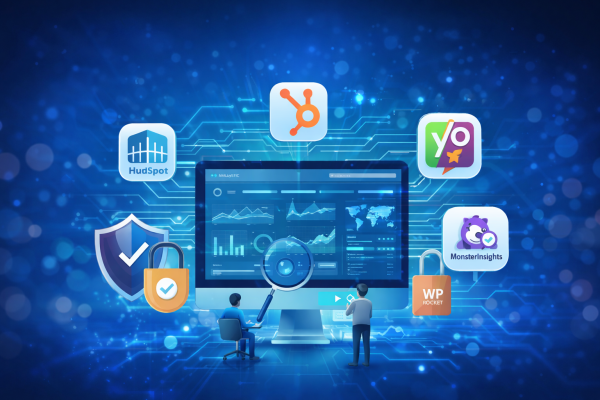
Smart plugin integration helps businesses improve website performance, strengthen security, automate...


